Public Wi-Fi Safety at Airports and Cafes: A Traveler's Checklist
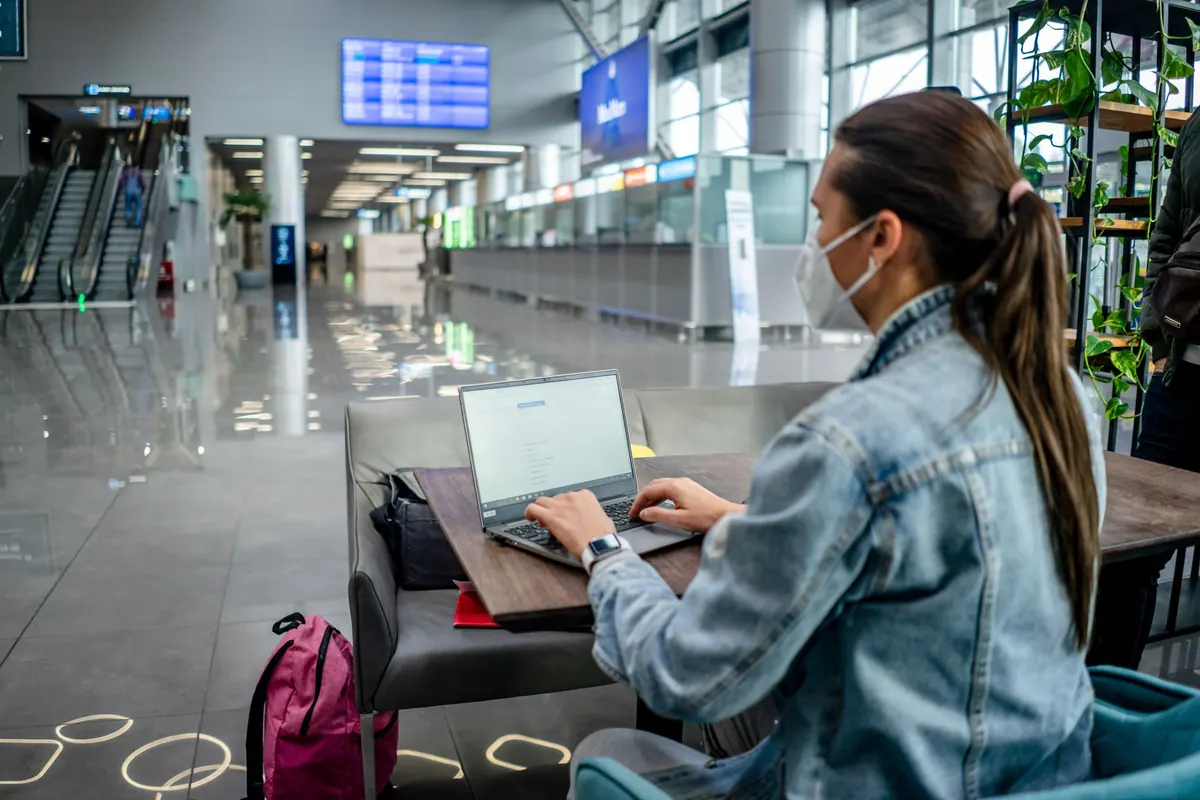
You're at gate B12 with forty minutes to kill, or wedged into a café corner with a laptop and a coffee that's already lukewarm. The airport network is free, the café password is printed on the receipt, and your inbox is sitting right there. This is where most travel-related security trouble starts — not because anyone is targeting you personally, but because public networks give strangers a convenient place to work.
That doesn't mean you should refuse to use public Wi-Fi. It means deciding in advance what you're willing to do on it, and what can wait until you're somewhere else.
Why Airport and Café Wi-Fi Deserves More Suspicion
An open network is open in both directions. On the same network as you may be a dozen strangers, and anyone with widely available tools can observe traffic that isn't encrypted. Most of what you do these days is encrypted, which is genuinely good news — but not all of it, and not always in the way you assume.
There's a second problem: the login screen. Captive portals have trained us to tap through a page asking for an email address or a room number without reading it. That reflex is exactly what a fake portal needs.
The "evil twin" hotspot
An attacker nearby can create a hotspot with a name that looks right: Airport_Free_WiFi, Guest-Terminal-2, or a café brand with a small typo. If your phone or laptop remembers a network with that name, it may connect on its own. The portal that follows might ask for a password, a card number to "verify your stay", or a Microsoft or Google login. None of it goes anywhere legitimate. Confirm the exact network name with a staff member — not a sign on the wall, which anyone can print.
Two Minutes of Prep Before You Travel
Most of the damage from public Wi-Fi is preventable with settings you change once, at home:
- Turn off auto-join for open networks so your devices stop connecting without asking.
- Forget networks when you're finished with them, so you don't silently reconnect on a later trip.
- Disable file sharing and set AirDrop to contacts only. On Windows, set the connection profile to "Public"; on macOS, keep the firewall on.
- Update your operating system, browser and password manager before you leave. Patched devices close doors that older ones leave open.
- Decide your limits now. Which tasks can wait for cellular data or a network you control? Banking and work admin can almost always wait.
A VPN Helps — If You Understand Its Limits
A reputable VPN encrypts traffic between your device and the VPN server. Anyone watching the café network sees gibberish and a connection to the provider, not the sites you're visiting. That covers the biggest gap in public Wi-Fi: unencrypted traffic and the trail of which domains you reach.
What a VPN does not do
It won't save you from a fake login page, a malicious download, or an account you sign into with a password you've reused elsewhere. It's a tunnel, not a judgment filter. If a hotspot's portal asks you to install a VPN app before you can get online, treat that as a warning sign rather than a service.
A VPN hides your traffic from the network. It cannot hide you from yourself.
Choosing one takes more than a five-star app store rating. Look for a clear privacy policy, a stated logging position, and independent audits if the provider publishes them. Free VPNs vary enormously: some are honest, but many fund themselves by collecting and selling what they carry. If you wouldn't trust a company with your browsing history, don't route your browsing through it.
The HTTPS Check Most People Skip
Before typing anything into a page, glance at the address bar. You want the padlock and the full domain spelled correctly. The page's title and design mean nothing; a convincing bank page can live at a lookalike domain.
Two things worth knowing. A padlock means the connection is encrypted to whoever owns the site — not that the site is honest. Phishing pages use HTTPS too. And HTTPS hides what you're reading but not which sites you visit; domain names can still leak to the network without a VPN. If your browser throws a "not secure" or certificate warning, don't click past it. Close the tab.
Logins That Should Wait for a Better Network
Some sessions are worth postponing. On airport or café Wi-Fi, hold off on:
- Online banking, payment apps and anything involving a card number
- Tax portals and government services tied to your identity
- Work email and admin consoles, especially single sign-on accounts
- Cryptocurrency exchanges and wallets
- Health portals and insurance accounts
- Shopping accounts with saved cards
If you genuinely can't wait, tether your laptop to your phone's cellular connection. Mobile data isn't flawless, but it's a private link to one carrier rather than a shared room of strangers. Failing that, use an authenticator app rather than SMS codes, let your password manager fill credentials so it only matches the correct domain, and sign out when you're done instead of leaving a session open in a background tab.
If an account does get compromised mid-trip, change the password from a trusted network first, then contact your bank or provider directly using the number on your card or their official app — never contact details from an email or pop-up announcing that you've been hacked.
A Routine You Can Actually Remember
- Ask staff for the exact network name.
- Connect manually, with auto-join switched off.
- Turn the VPN on before opening a browser.
- Check the address bar before typing anything.
- Forget the network when you leave.
Public Wi-Fi is a convenience, and convenience is what makes it both useful and slightly risky. Treat every open network as shared space: fine for reading, maps and messages, not the place to move money or hand over credentials you'd hate to lose. Do the boring two minutes of prep at home, and the airport becomes just an airport again.
Photo: Atlantic Ambience / Pexels